
Middle School Blast Sep 18, 2026
Key Dates
Friday, Sept. 18 — A4. No School for Eighth Grade. Homecoming. Family Grill Out, 5-7 p.m.
Saturday, Sept. 19 — Homecoming. Cross Country Invitational, 9-11 a.m. Boys Varsity Soccer Game, 1 p.m.
Monday, Sept. 21 — B4
Tuesday, Sept. 22 — A5
Wednesday, Sept. 23 — B5
Thursday, Sept. 24 — A1
Friday, Sept. 25 — B1
Monday, Sept. 28 — A2
Tuesday, Sept. 29 — B2. Seven Hills Association of Rainbow Events (SHARE) Parent Forum, 6:30 p.m.
Wednesday, Sept. 30 — A3. New Parent Cocktail Social, 5:30-7:30 p.m.
Wednesday, Oct. 7 — Parent Association Board Meeting, 8:30 a.m.
Thursday, Oct. 8 & Friday, Oct. 9 — Fall Break
Monday, Oct. 12 — No School. Records Day
Tuesday, Oct. 13 — No School. Faculty Professional Development Day
Wednesday, Oct. 14 — Board of Trustees Meeting, 6:30 p.m.
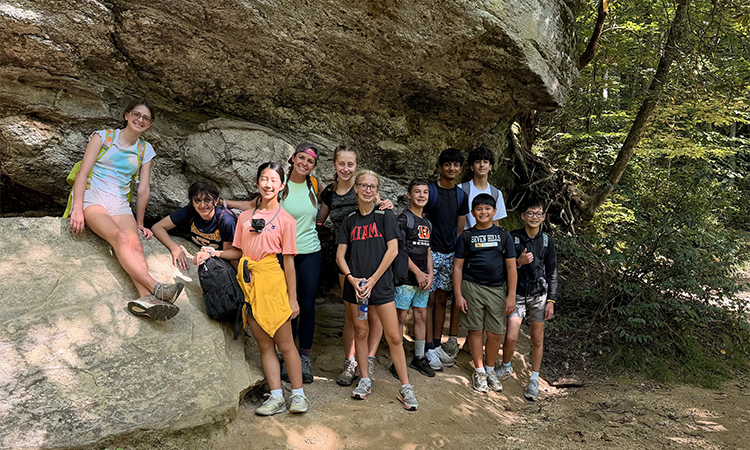
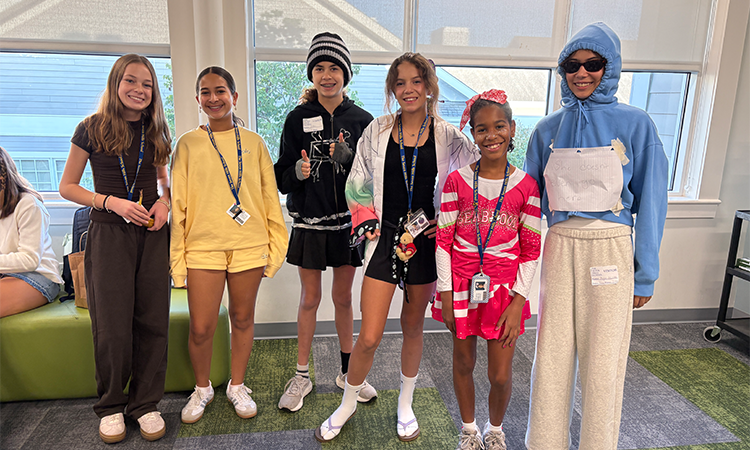
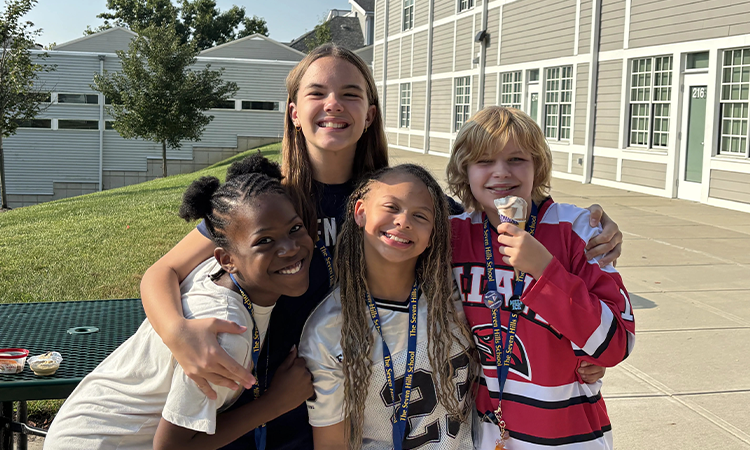
Photos of the Week
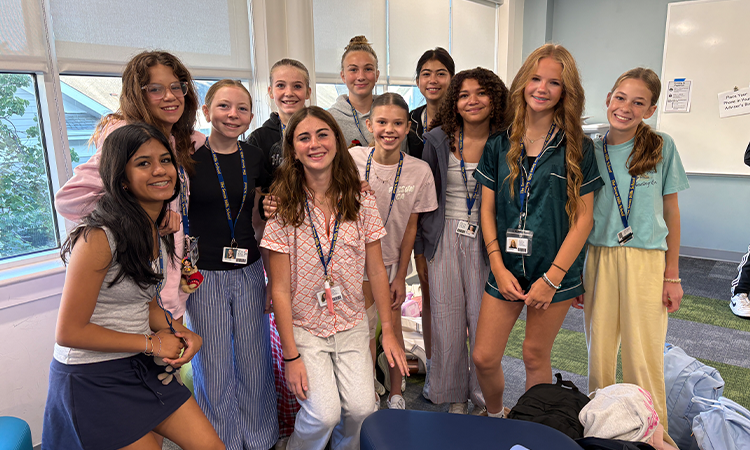
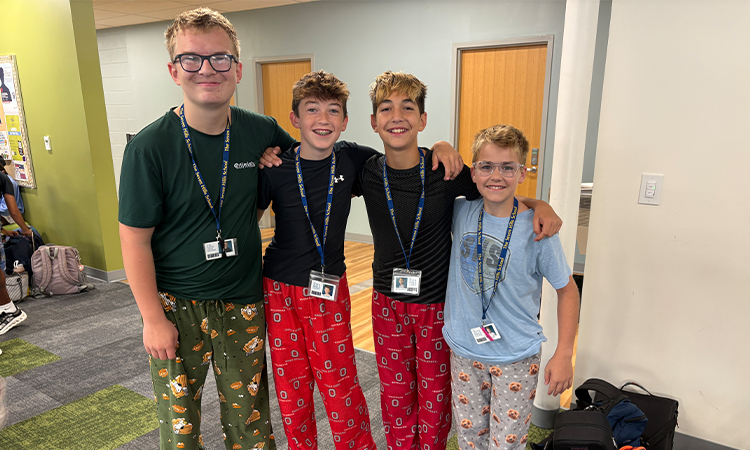 Middle Schoolers embrace the cozy spirit during Pajama Day.
NEW! Listen to The Blast
Click the play button below to listen to this week’s Middle School Blast, read by an automated reader. Please note that the Key Dates section is not included in this audio.
What to Know Now
Final Day of Spirit Week — TODAY
Today is the final day for your student(s) to get involved in Spirit Week! It’s a spirit day, so students can show their school pride by wearing Stinger spirit wear.
Homecoming — TODAY & Saturday, Sept. 19
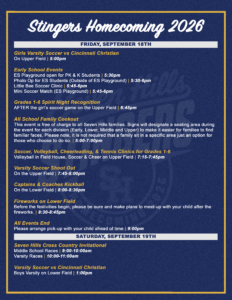
Tonight and Saturday, Sept. 19, come join the Seven Hills community for a fun lineup of Homecoming festivities. Check out the flyer below to see what’s in store.
Looking Ahead to Upper School for Parents — Wednesday, Sept. 30, at 8:15 a.m. (Hillsdale Commons) or Thursday, Oct. 1, at 7 p.m. (Young Family Library in the Upper School)
These events will provide an opportunity for parents of eighth-grade students to learn more about the Upper School. Brandon Williams (Athletic Director), Karen Glum (Director of Experiential Learning), our college counselors, and Rick Tate (Head of Upper School) will share highlights of the Upper School program. You’ll also hear from some current Upper School students about their experience. The event will end with a question-and-answer session. For more information, check out the parent letter (also in your Parent Portal). Please register here.
Streaming Media Options for School-Managed iPads for Grades 6-12 Families and Students
We are beginning this process by gathering information from families about their preferences for streaming media on school-managed iPads. Once we know how many families are interested, we will test different policies and settings with the goal of creating the most flexible option possible for families while maintaining appropriate school security and management.
The App Opt-Out Form allows parents/guardians to request that the Streaming Media category be blocked on their child’s school-managed iPad. This does not apply to family-owned laptops used by students in grades 11 and 12.
Please discuss this choice with your student. Students will be aware of the change, as permissions and available apps on their iPad may change.
Blocking Streaming Media may prevent access to many common music, video, and entertainment services, including:
- YouTube Music and Shorts (regular YouTube access will remain available)
- Spotify
- Apple Music
- Netflix
- Disney+
- Hulu
- Amazon Prime Video
- Max
- Peacock
- Paramount+
A few things to keep in mind:
- The restriction applies to the entire Streaming Media category, rather than individual apps or websites.
- Other streaming services not listed above may also be affected.
- Because these categories are maintained by a third party, the school cannot guarantee that every streaming service will be blocked or provide individual exceptions.
Families who choose to continue access to Streaming Media should be aware that some services require a personal account. Parents/guardians are responsible for providing and managing those accounts and the email addresses associated with them. For example, if you allow Spotify, you will need a personal account to use it. School accounts will no longer work, as they do not meet the terms of service.
Student@7hills.org email addresses may not be used to create or maintain streaming service accounts. YouTube is the exception because student access is managed through the school’s Google Workspace environment.
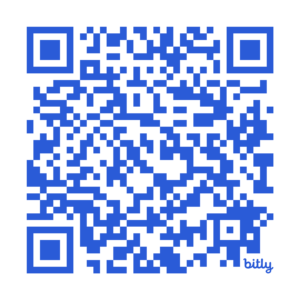
To designate your preferences, scan the QR code below to fill out the App Opt-Out Form. If you have any questions about the policy, submit your questions through the App Opt-Out Policy Questions Form.
Coming Soon: Parent iPad Management
We are also preparing an additional option for families. Parents will soon receive an invitation to an app that can provide additional management of their child’s school iPad after school hours.
We will begin by testing these options and gathering feedback before finalizing the policies. Our goal is to give families useful and flexible controls at home without interfering with the iPad’s use as a learning tool during the school day.
Everyone will be invited to this service, but you are welcome to opt out.
Sixth Grade Canvas Scavenger Hunt
This week, the sixth graders were assigned a Canvas Scavenger Hunt to complete with their parents as a way for students to show them a bit about Canvas and how it is used in some of their sixth-grade courses. Parents and students should sit together with the child’s iPad and complete the assignment together. Sixth graders should turn in the completed paper to their advisor by Friday, Sept. 25!
Welcoming a New Counseling Intern to Seven Hills
This school year, the Seven Hills Counseling Department is working with the University of Cincinnati to host a graduate student intern. Taye Ogundipe will be working with Angie Bielecki, the Seven Hills counseling department chair, as well as his supervisor at UC to complete his internship for his Master’s of School Counseling program.
“Mr. Taye” will be gaining direct student hours through observation, student counseling opportunities, and teaching opportunities at all divisions while at Seven Hills.
We are excited to use this opportunity to enhance our counseling program and provide mentorship opportunities through partnerships with our local universities.
Updates to Campus Dining
One of our primary objectives this year is to enhance the culinary program for students, faculty, and staff. As we wrap up the fourth week of school, the culinary team continues to demonstrate exceptional dedication and change.
Food and Beverage Changes:
In Founders Hall, we are now offering two plate lunch options, which include a Build Your Own (BYO) Bar.
- The salad bar has been improved with a wider selection of nutritious, house-made choices.
- We are transitioning away from pre-packaged grab-and-go options; please look forward to healthier alternatives. Additionally, we are working toward only offering fresh fruit, instead of pre-packaged fruit.
- As we sell our current stock of beverages, we will eventually provide only white milk, chocolate milk, and water.
- We will also be offering more healthy choices for snacks, such as fruit cups, hummus, crackers, and baked chips.
Parent Association News
Thank you to everyone who came out to the MS Parent Social on Sept. 12. Special thanks to Laxmi Shah and Meg Niederhelman for organizing the event. It was great to connect with familiar faces and meet some new parents. We appreciate everything you put into it.
Parent Association Tables at Homecoming — TONIGHT
At Homecoming this evening, stop by the Parent Association tables in the main Lotspeich area next to the Spirit Shop pop-up shop table. All families are welcome — come say hello, find out what the Parent Association has coming up this fall, and learn more about ways to get involved. Representatives from The Seven Hills Association of Rainbow Events (SHARE) and The Seven Hills Network of African-American Parents (SNAAP) will also be available to share information and answer questions. No sign-up needed, just come by.
Seventh Grade Parent Gathering — Saturday, Sept. 26, from 7-10 p.m.
Reminder: don’t forget to RSVP for the Seventh Grade Parent Gathering!
We’ve posted about this a few times, but if it’s still on your to-do list, now is the time to sign up! Join us for a fun, casual night to connect with fellow seventh-grade families. The event will be held at 8231 Margaret Lane, Montgomery, OH 45242. RSVP via Parent Square.
Interested in Getting Involved?
There is no better way to feel connected to Middle School than to get involved — reach out to Lindsay Cassady and let’s find the right fit for you.
Seven Hills Association of Rainbow Events (SHARE) — Parent Forum on Tuesday, Sept. 29, at 6:30 p.m.
All Seven Hills parents, caregivers, and staff are welcome to attend our kickoff event for the new school year. Whether you are an LGBTQ+ parent/caregiver, raising an LGBTQ+ child, or an ally, come join us in the Upper School library for a relaxed evening of meaningful conversation and light refreshments.
Register for the event and connect with fellow families, share experiences, ask questions, and build community.
Can’t make it to the parent forum but want to stay informed? Join the SHARE mailing list.
Announcements
2026-27 Winter & Spring Sports Registration — OPEN NOW
Grade 6
Winter sports registration is officially open for grade 6! Please register your student(s) for the upcoming season through Veracross.
The exception is for sixth grade squash. Please register for sixth grade squash through Final Forms. If you are new to FinalForms, you will need to create an account. If you need assistance, please review these step-by-step instructions. If your student is not registered in FinalForms, they will not be placed on a roster or receive team communications.
Registration will close on Wednesday, Sept. 30. If you have any questions or need assistance, please contact k6athletics@7hills.org. We can’t wait to see your student-athletes out there this winter!
Grades 7-12
This year, we are holding two registration periods for students in grades 7-12. Fall sports registration took place last spring, and this second registration period covers winter and spring sports. This approach helps us plan for the number of athletes participating throughout the rest of the school year.
Grades 7-12 must register through FinalForms. Please confirm that your student’s sport(s) are selected in FinalForms.
If you are new to FinalForms, you will need to create an account. If you need assistance, please review these step-by-step instructions. If your student is not registered in FinalForms, they will not be placed on a roster or receive team communications.
It is imperative that all forms are completed and a current physical is uploaded in FinalForms prior to the first practice. Any student-athlete who is not in compliance will be required to sit out until all forms and documents are submitted.
Registration will close on Wednesday, Sept. 30. If you have questions or need assistance, please contact athletics@7hills.org.
Priority Admission Deadlines
- Pre-kindergarten-Grade 5: Nov. 15
- Grades 6-12: Dec. 1
Because we have limited space in several grades and our application pool is quite competitive, we recommend completing the application process as early as possible. Sibling admission applications are given priority status within the applicant pool as long as we receive the admission application by Nov. 15 for pre-kindergarten-grade 5 and Dec. 1 for grades 6-12.
To submit an admission application for another child, please log in to your Veracross Parent Portal. Using the column icon at the top of the page, select “Admission,” then “Manage Candidate Applications.” You will then be able to select the box with a plus (+) sign, “Add a New Candidate/Applicant.” The application fee is waived for current families using the waiver code ABC.
Re-enrollment for the 2027-28 School Year for Currently Enrolled Students
Families of currently enrolled Seven Hills students do not need to submit an admission application for their children. You will receive detailed re–enrollment information in January.
Instructions for Pairing Canvas Accounts
We are now ready for parents and guardians to begin pairing their Canvas accounts with their students. We intentionally waited to begin this process so that faculty members had the opportunity to pair with students first in their roles as advisors.
Canvas pairing codes are valid for seven days from the time they are created and can only be used once. Because of this, students should generate a new code for each parent or guardian when they are ready to complete the pairing process.
You must have this six-digit code from your student. These codes are generated by students.
Each observer (parent) needs their own unique pairing code.
To generate a code:
- Have your student log into Canvas
- In Global Navigation in the top left, click Account (by your picture)
- Click Settings
- On the right side, click Pair with Observer
- Copy the six-digit pairing code (this code expires after seven days or its first use)
- Click OK
If you have an issue, please reach out to your student’s advisor/homeroom teacher.
This information — as well as frequently asked questions — can be referenced on the Seven Hills website Canvas page.
Notice About Ear Buds/Headphones
All students were instructed to have ear buds/headphones for their school supplies. Please check with your student and confirm that their ear buds/headphones are compatible with their school-issued iPads.